
This leaflet may not be reproduced in whole or in part, without the permission of Cumbria, Northumberland, Tyne and Wear NHS Foundation Trust.
LIO - A tool to help staff care for you more safely
LIO - A camera to help staff care for you and keep you safe. The system has been installed to improve patient safety and patient experience. This leaflet explains what it is and how it helps staff care for you more safely.
LIO is a safety system available in every bedroom on the ward to improve patient safety and patient experience.
If you are having a difficult time in your room, the system can alert staff, allowing them to come and offer support. An example might be if you have been in the bathroom for a long time, or if you have left your bed at night.
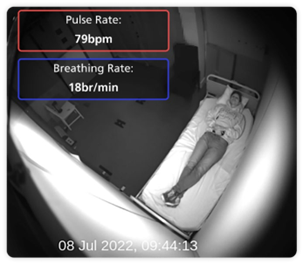
The system can also allow staff to take your pulse and breathing rate electronically without disturbing you, helping to keep you safe and well.
It is not a replacement for face to face engagement and observation on the ward. It is an additional tool we can use to help keep you safe. Some wards already use other types of safety alerts.
Staff will be happy to show you how LIO can support your safety and discuss whether to switch it on. Staff will explain this to you.
- It helps staff to keep you safe.
- Staff can check your pulse and breathing rate remotely.
- LIO is installed in every bedroom.
- It is in a long box above each bed.
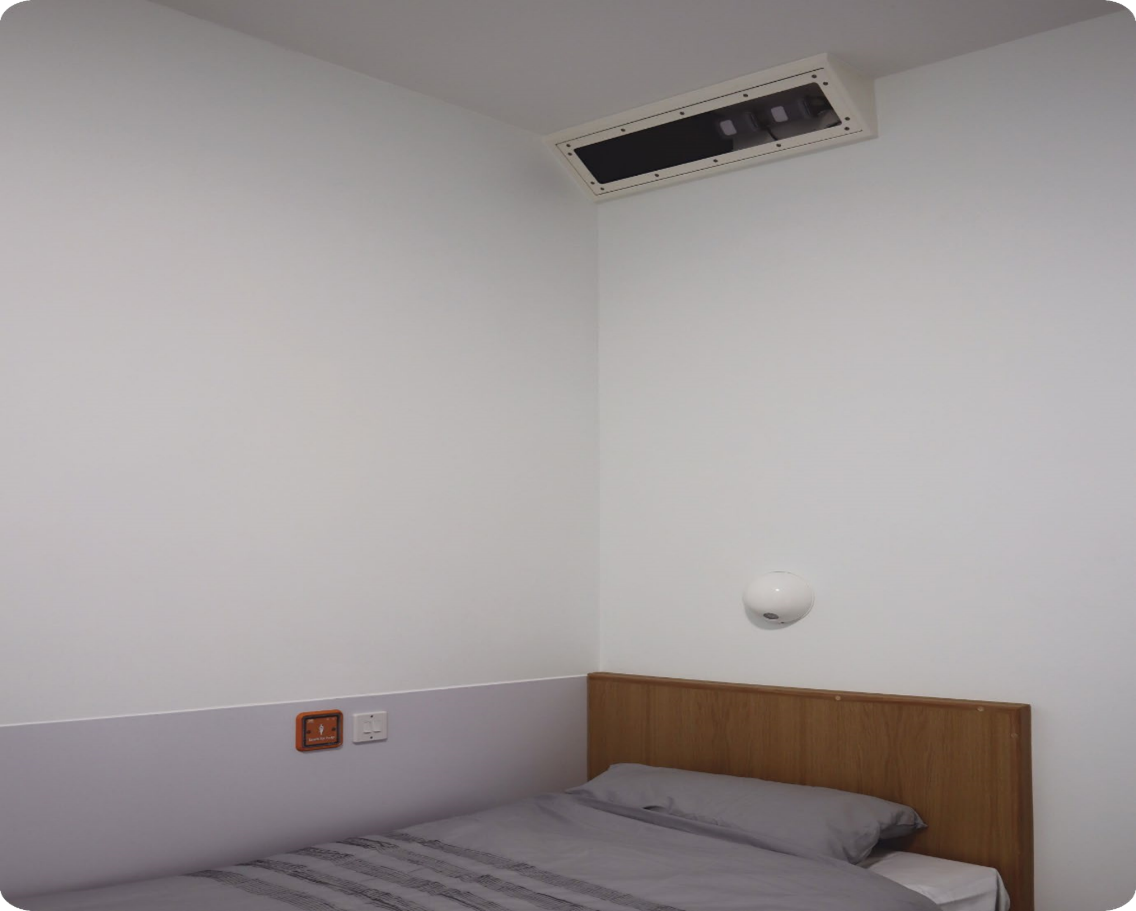
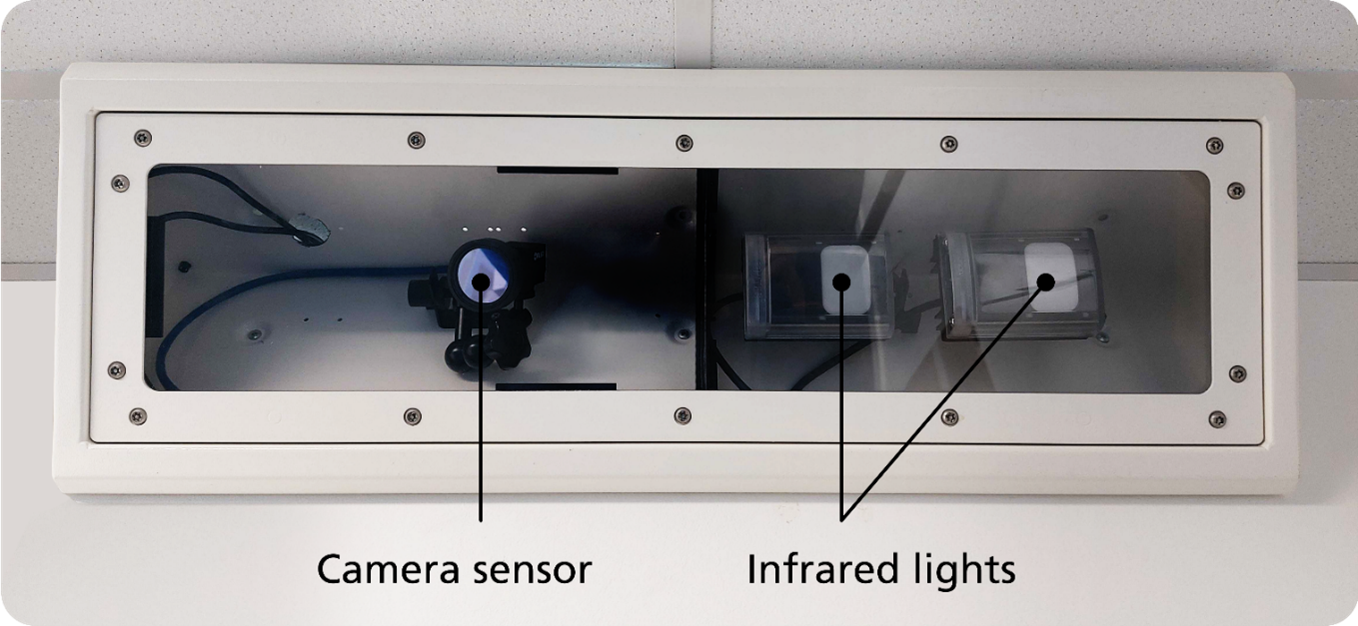
LIO is a medical device that uses an infrared-sensitive camera to measure your pulse and breathing rate. Infrared is a light which is invisible to the human eye but helps the camera see in a darkened room.
You may notice a red ‘glow’ from the unit in your bedroom. This comes from the infrared lights.
- It provides notifications to staff (see What LIO tells staff).
- It shows staff how long you’ve been resting and how long you’ve been active.
- It does not replace direct staff care during your stay.
The system can monitor you within your bedroom, but not in your bathroom. The system does not detect sound.
You can ask to see how LIO works. Staff will be happy to show you how the system can support your safety.
Staff receive information and notifications:
- On electronic tablets they carry with them on the wards.
- On a dedicated office computer screen.
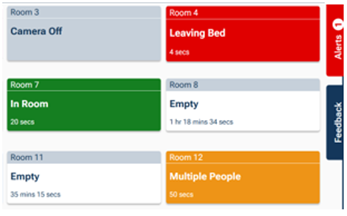
There are six types of notifications that may be used which staff can see and respond to:
- Out of room: When you have left your room.
- In bathroom: When you enter the ensuite bathroom or stay in there for a long time.
- At door: When you are standing or sitting close to the main door and when you have been there for a long time.
- Multiple people: When there is more than one person in the room.
- Leaving bed or Out of bed: Used only in older people’s services.
- No activity: Used only in seclusion and 136 suites.
If you need help always speak to a member of staff.
Staff can:
- Measure your pulse and breathing rate. Your pulse rate is measured by counting the number of times your heart beats per minute (BPM).
- Receive information on your active and resting periods, which you might then discuss with your named clinician.
- Staff will only be able to see the camera feed if they receive an alert or are checking your physical health.
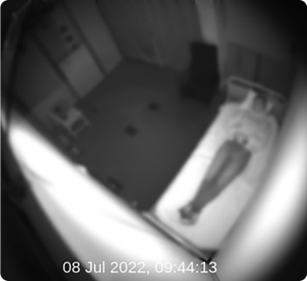
- When staff receive an alert they may check your safety through a blurred view of your room.
- When staff check your physical health they see a clear view of your room for up to 15 seconds at a time.
- Staff will only use LIO to check your physical health if that is in your care plan.
- The system will not alert staff to changes in your physical health (or example changes in your pulse or breathing).
- Staff have no access to clear recorded images.
- Your personal data is protected by NHS regulation and national law.
- Clear video images are recorded but recordings cannot be accessed by ward staff and are deleted after 24 hours.
- Clips of recorded images can be requested by the ward when there is a safety incident.
- If recorded images are used for a safety review you must be informed of this.
- All other data stored by the system is anonymous (not identifiable) and is only used to ensure the system is working as it should.
If you have any questions or concerns about how your information is stored please talk to a member of staff.
To find our more, you can read our Fair Processing Notice on our website at www.cntw.nhs.uk/fair-processing-notice Or email our Data Protection Officer DPO
When you come to a ward, a 136 suite, or a seclusion room, your named nurse will talk with you about LIO.
LIO can only be turned on if:
- you understand what it means and agree to it or
- if staff are worried about your health or safety and:
- you are detained under the Mental Health Act, or
- cannot make this decision yourself.
Staff will check in with you often and talk about this decision.
You can talk to your named nurse about LIO at any time.
If LIO is off in your room, staff will still help keep you safe.
This video will show you:
This video will show you:
- what LIO is
- what it looks like
- and how staff use it
Do you want to know more or have concerns?
Please ask your named nurse or ward manager if you have any questions. Staff will be happy to show you how it works and provide further information.
Use this link to view the Trust’s privacy notice: www.cntw.nhs.uk/fair-processing-notice
You can talk to a staff member or use the contacts listed below.
Your Voice
You can use this email to tell us what you think about your care. This can be good or bad. You can also ask us to tell you what happens after you send feedback. Email: yourvoice@cntw.nhs.uk
Comments and complaints
If something went wrong, please tell us. This will help us improve services.
Email: complaints@cntw.nhs.uk
Telephone: 0191 245 6672
Address: Complaints Department, Cumbria, Northumberland, Tyne and Wear NHS Foundation Trust, St Nicholas Hospital, Gosforth, Newcastle upon Tyne, NE3 3XT
Patient Advice and Liaison Service
PALS offer a free, confidential service. They can help if you are worried about your care. They support patients, families and carers.
North of Tyne
(for services in Newcastle, North Tyneside, Northumberland and North Cumbria)
Email: pals@nhct.nhs.uk
Telephone: 0800 032 0202
South of Tyne
(for services in Sunderland, Gateshead, South Tyneside and Lotus Ward, Acklam Road Hospital)
Email: pals@cntw.nhs.uk
Telephone: 0800 328 4397
You can get more information about this leaflet from the Patient Information Centre. This includes how the leaflet was made.
We can provide this leaflet in other formats. These include Braille, audio, large print, Easy Read, British Sign Language, and other languages.
We welcome your feedback about this leaflet. You can email pic
Published by the Patient Information Centre
2026 Copyright: Cumbria, Northumberland, Tyne and Wear NHS Foundation Trust
Ref: PIC/961/0626 June 2026 V1
Review date: 2029
Website: www.
Follow us on social media. Search for CNTW